
Bitwarden-compatible server running on Cloudflare Workers




Telegram Channel |
Telegram Group
中文说明 |
Contributing
> **Disclaimer**
>
> This project is for learning and discussion purposes only. Please back up your vault regularly.
>
> This project is not affiliated with Bitwarden. Please do not report NodeWarden issues to the official Bitwarden team.
---
## Feature Comparison with the Official Bitwarden Server
| Capability | Bitwarden | NodeWarden | Notes |
|---|---|---|---|
| Web Vault | ✅ | ✅ | **Original Web Vault interface** |
| **PWA Support** | ⚠️ Basic | ✅ | **Installable, offline-capable, app shortcuts** |
| **Web Vault Offline Access** | ❌ | ✅ | **Web client supports offline vault viewing** |
| **Passkey Login** | ✅ | ✅ | **WebAuthn/FIDO2 passwordless login** |
| Full sync `/api/sync` | ✅ | ✅ | Compatibility optimized for official clients |
| Attachment upload / download | ✅ | ✅ | Cloudflare R2 or KV |
| Send | ✅ | ✅ | Supports both text and file Sends |
| Import / Export | ✅ | ✅ | Supports Bitwarden JSON / CSV / **ZIP import with attachments** |
| **Cloud Backup Center** | ❌ | ✅ | **WebDAV / S3 scheduled backup (OneDrive/Google Drive etc.)** |
| Password hint (web) | ⚠️ Limited | ✅ | **No email required** |
| TOTP / Steam TOTP | ✅ | ✅ | Includes `steam://` support |
| Multi-user | ✅ | ✅ | Invite-based registration |
| Organizations / Collections / Member roles | ✅ | ❌ | Not implemented |
| Login 2FA | ✅ | ⚠️ Partial | TOTP and Passkey (as second factor) |
| SSO / SCIM / Enterprise directory | ✅ | ❌ | Not implemented |
---
## Tested Clients
- ✅ Windows desktop client
- ✅ Mobile app
- ✅ Browser extension
- ✅ Linux desktop client
- ⚠️ macOS desktop client has not been fully verified yet
---
## Web Deploy
1. Fork this repository. If this project helps you, consider giving it a Star.
2. Open [Workers](https://dash.cloudflare.com/?to=/:account/workers-and-pages/create) -> `Continue with GitHub` -> select your forked repository (`NodeWarden`) -> continue.
3. R2 is used by default. If R2 is not enabled on your account, you can use KV instead by changing the **deploy command** to `npm run deploy:kv`.
4. Deploy and open the generated URL.
| Storage | Card required | Single attachment / Send file limit | Free tier |
|---|---|---|---|
| R2 | Yes | 100 MB (soft limit, adjustable) | 10 GB |
| KV | No | 25 MiB (Cloudflare limit) | 1 GB |
> [!TIP]
> How to keep your fork updated:
> - Manual: open your fork on GitHub, click `Sync fork`, then `Update branch`
> - Automatic: go to your fork -> `Actions` -> `Sync upstream` -> `Enable workflow`; it will sync upstream automatically every day at 3 AM
## CLI Deploy
```powershell
git clone https://github.com/shuaiplus/NodeWarden.git
cd NodeWarden
npm install
npx wrangler login
# Default: R2 mode
npm run deploy
# Optional: KV mode
npm run deploy:kv
# Local development
npm run dev
npm run dev:kv
```
---
## Key Features
### PWA Progressive Web App
- ✅ **Install to desktop** - Runs like a native app
- ✅ **Offline usage** - Service Worker caching, view passwords offline
- ✅ **App shortcuts** - Quick launch vault, TOTP codes
- ✅ **Background decryption** - Web Worker handles decryption without blocking UI
### Passkey Passwordless Login
- ✅ **WebAuthn/FIDO2 support** - Login with fingerprint, Face ID, etc.
- ✅ **PRF key unlock** - Passkey can unlock vault directly
- ✅ **Official client compatibility** - Chromium browser extension supports Passkey login
- ✅ **Multi-device sync** - Supports iCloud, Google Password Manager, etc.
### Cloud Backup Notes
- Remote backup supports **WebDAV** and **S3**
- Supports **OneDrive** (via Koofr), **Google Drive** (via Koofr), **Cloudflare R2**, **Backblaze B2**, etc.
- When `Include attachments` is enabled:
- the ZIP still contains only `db.json` and `manifest.json`
- actual attachment files are stored separately under `attachments/`
- later backups reuse existing attachments by stable blob name instead of re-uploading everything every time
- During remote restore:
- required attachment files are loaded from `attachments/` on demand
- missing attachments are skipped safely
- skipped attachments do not leave broken rows in the restored database
---
## Import / Export
Current supported import sources include:
- Bitwarden JSON
- Bitwarden CSV
- Bitwarden vault + attachments ZIP
- NodeWarden JSON
- Multiple browser / password-manager formats available in the web import selector
Current supported export formats include:
- Bitwarden JSON
- Bitwarden encrypted JSON
- ZIP export with attachments
- NodeWarden JSON variants
- Full manual instance export from the backup center
---
## License
LGPL-3.0 License
---
## Credits
- [Bitwarden](https://bitwarden.com/) - Original design and clients
- [Vaultwarden](https://github.com/dani-garcia/vaultwarden) - Server implementation reference
- [Cloudflare Workers](https://workers.cloudflare.com/) - Serverless platform
---
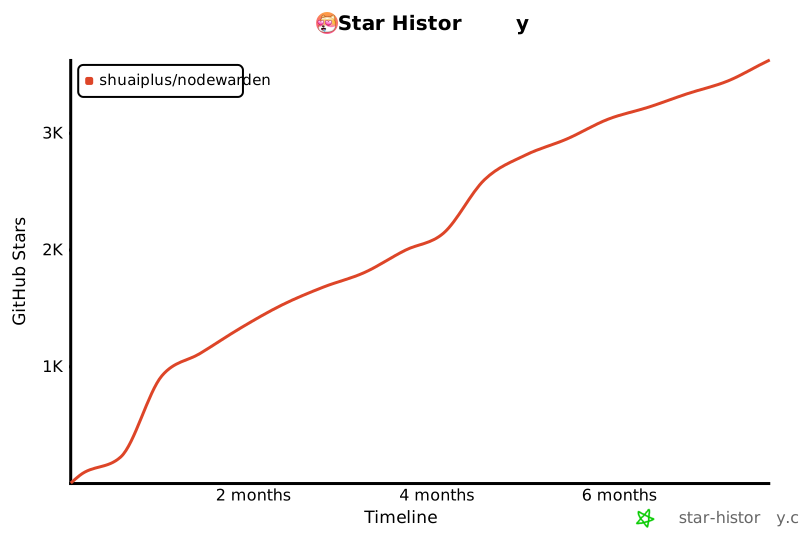
## Star History
[](https://www.star-history.com/#shuaiplus/NodeWarden&type=timeline&legend=top-left)